
Spin The Wheel – A Customizable Classroom Spinner Tool
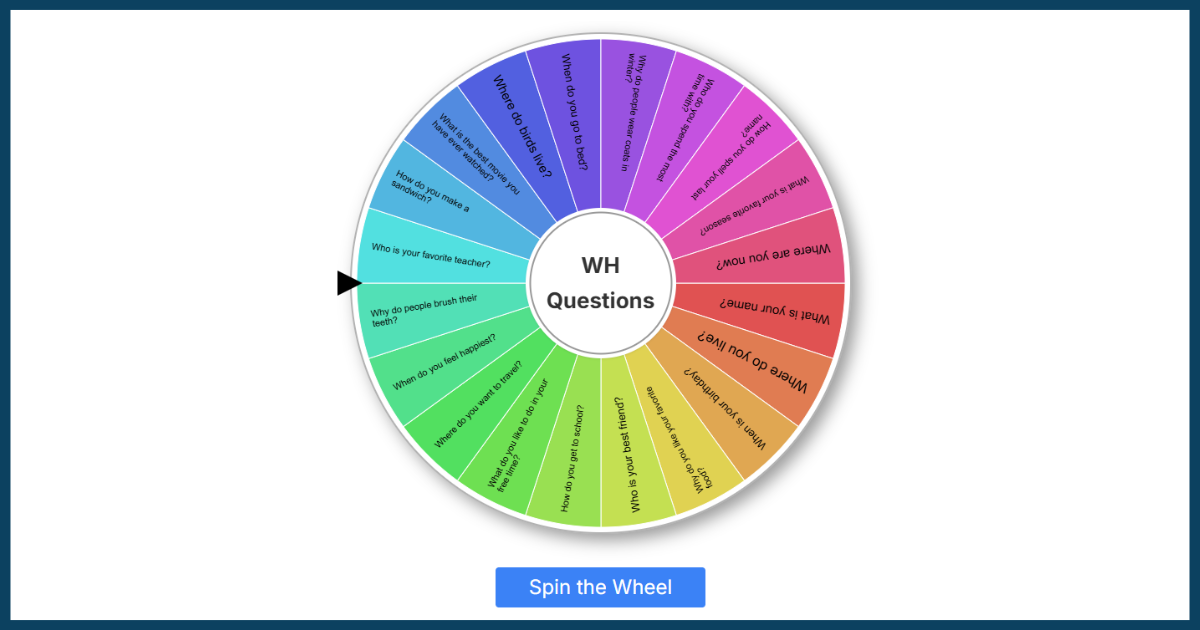
Use this free spinner wheel to randomly choose names, words, or any custom options you enter. Perfect for classroom games, speaking practice, or quick decision-making, the tool lets you create your own list or choose from over 50 ready-made topics like vocabulary sets, conversation starters, and more. Just click to spin, and one item will be picked at random, turning any lesson into an engaging, interactive experience.
How To Use the Spinner Wheel
Step 1: Choose “Custom” or “Pre-made”
Pick a ready-made list by topic, or start fresh and enter your own custom words or phrases.
Step 2: Enter or edit your list (one per line)
If you chose a pre-made list, you can edit it to suit your class. If you’re entering your own, just type one entry per line — these can be single words, names, full sentences, or anything you like.
Step 3: Click “Create Wheel”
Once your list is ready, click the button to generate your spinning wheel.
Step 4: Click “Spin”
The wheel will spin and randomly select one item from your list.
Step 5: Choose whether to remove the selected item or spin again
After each spin, you can decide to either keep the selected item on the wheel or remove it. Removing the item is especially useful for activities like bingo or classroom games where you don’t want the same option to be picked more than once.
Ready-Made Classroom Spinner Topics
Our spin the wheel tool has 50+ ready-made topics. Click the “Pre-made” tab inside the tool to instantly load the wheel with these built-in classroom categories and topics:
- Alphabet & Phonics: A-Z, a-z, CVC Words, CVCE Words, Blends
- Numbers: 1-10, 1-20, 1-50, 1-100, Big Numbers
- Vocabulary: Action Verbs, Adjectives, Animals, Body Parts, Classroom Objects, Clothes, Countries, Daily Routine, Days, Family, Feelings, Food, Fruits & Vegetables, Jobs, Months, Places in Town, Prepositions of Place, Rooms of the House, School Subjects, Sports, 2D Shapes, 3D Shapes, Transportation, Weather
- Points & Rewards: 1–10 Points, 1–20 Points, 1–50 Points
- Questions: Conversation Questions, WH Questions, Would You Rather Questions, Past Tense Questions, Yes/No Questions, Future Tense Questions, Challenge Questions
- Speaking Prompts: Opinion Starters, Descriptive Starters, Predictions, Hypothetical Questions
- Writing Prompts: Creative Writing, Persuasive Writing, Descriptive Writing, Reflective Writing
Suggested Ways to Use The Spinner Wheel in Class
This customizable picker wheel is a flexible tool that can be used in lots of different ways throughout your lessons. Here are some of our favorite ways to use this tool in class.
Random Name Picker
Add student names to the wheel and use it to randomly choose someone to answer a question, take a turn, or participate in an activity. This helps keep the selection process fair and encourages participation from all students.
Play Bingo
Use the wheel to call out words or numbers during a game of bingo. Add your bingo items to the wheel and remove each one as it’s selected. You can create bingo cards to match your word list using our Bingo Sheet Maker Tool, and then use this spinning wheel to run the game.
Question / Prompt Selector
Add a list of questions or prompts to the wheel. These could be conversation starters, speaking prompts, writing tasks, or review questions. Spin the wheel to randomly choose a prompt for a student or the whole class to respond to. This is especially useful in ESL classes or for warm-up activities.
Reward Picker
Use the wheel to choose a classroom reward when students meet a goal or demonstrate positive behaviour. Add a list of rewards like “no homework,” “choose the next activity,” “5-minute break,” or “play a game,” and let the wheel decide. This can make classroom management more engaging and add a small element of fun when celebrating achievements.
Point Selector
Add point values to the wheel and use it to randomly decide how many points to award in a game or quiz. This can add an element of surprise to classroom competitions and make review activities more engaging.